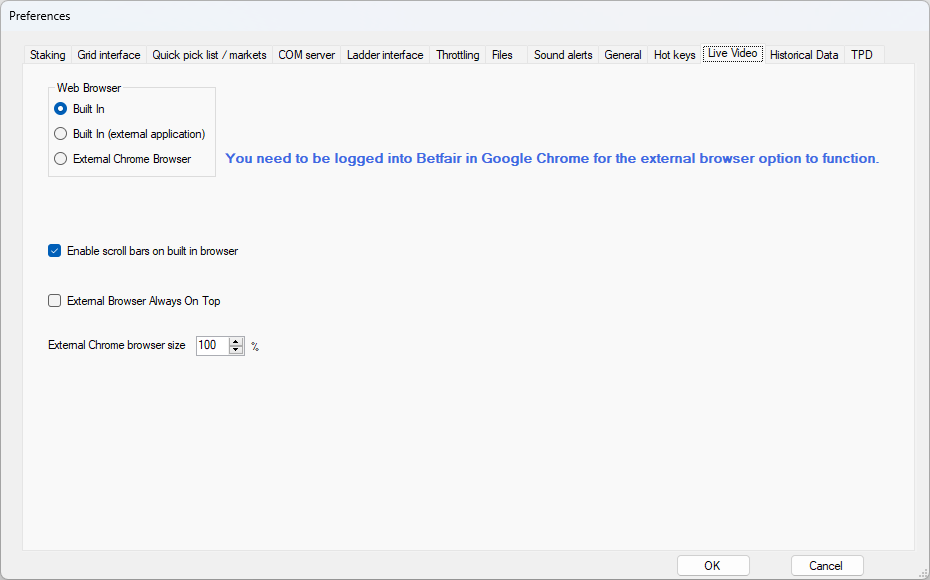
Web Browser
Select which web browser you want to use for displaying Betfair Live Video when available.
Use the "Built In" option which uses Microsoft Edge WebView2 for displaying the external web page in a Window within the software.
Use the "Built In (external application)" option to open the external web page in a window within the software but instead uses a separate application for the window.
Alternatively, you can choose to use the 'External Chrome Browser' option but you will need to be logged into Betfair separately via Google Chrome.
Enable scroll bars on built in browser
Use this option to allow vertical and horizontal scroll bars to be included in the live video window.
The window can be resized but the video itself is a fixed size.
Use the scroll bars to position the video within the window.
To resize the video use the plus and minus controls in the window header.
External Browser Aways On Top
Use this option to make the live video window stay on top of other windows when using the external browser option.
External Chrome browser size
Use this option to resize the live video when using the external browser option.